
Cards stay where you drop them
A free grid, no columns that close up by themselves. Gaps are allowed, because sometimes a gap is exactly the point. If you want it the other way, one board option pushes everything up.
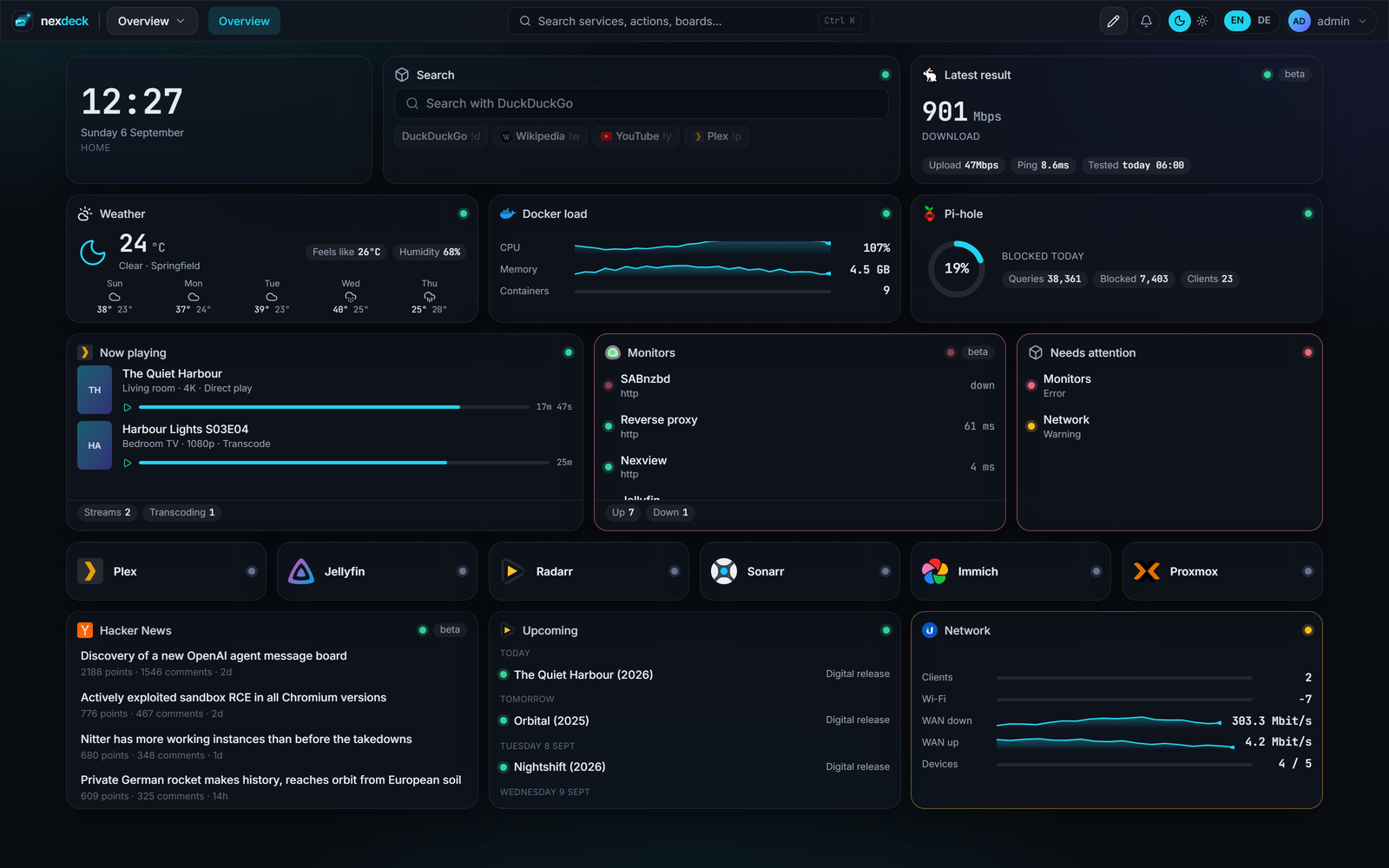
Free placement, your own size
Every card is dragged and pulled larger at its corners. There is a lower limit, because below a certain size a card stops saying anything, and above that nothing constrains you.
A board has as many pages as you create, and every page its own arrangement. Which boards sit in the menu at the top is decided by a tick; the rest stay in the list and keep their address.
While you set a card up, you see the change on the card itself, not after saving. Close the sheet without saving and nothing has changed.
196 cards from 79 integrations
Every card belongs to one integration and answers one question there. Some services have a single card, Plex has seven.
And for everything else
- The JSON API card. Any endpoint that hands out numbers is polled and put on a card, without anyone writing code for it.
- A calendar from several sources. Several iCal addresses merged into one card.
- App tiles, with a reachability check and an icon nexdeck fetches by itself.
- Notes, bookmarks, an embedded frame, a clock and the weather. None of them need an integration.
Tiles that follow a service
A tile can attach itself to an integration you already have. Name and icon then arrive as suggestions, and the link takes the service's address on every view. When the service moves, you change the address once in the integration and every tile follows.
With a Docker integration, nexdeck suggests tiles for running containers. Labels on the container (nexdeck.name, nexdeck.url, nexdeck.icon) fill the suggestion in; if you already have homepage.* labels, those are understood too.
Ctrl+K, and then onward
The bar finds boards, cards and settings. It can also hand a typed word on: to a search engine, or to a service that is already connected.
A shortcut jumps straight there, so !y cats goes to YouTube. The targets are set once under System, and the connected services can be taken over with one press.
How it looks is yours
- Seven accent colours or one you type in yourself. It applies to your account, in light and dark.
- Light and dark stand as two segments in the bar, saying which of the two is on rather than what a click would do.
- Your own stylesheet for the whole installation, written by the operator, loaded after everything nexdeck ships.
- English and German, switched in the bar, without a detour through the settings.
The stylesheet is checked before it is stored: an @import would fetch a file from somewhere else, and a closed style tag would be a hole. Both are refused.